Docs
How to swap
The controls on the swap page, in order.
Steps
- Choose the token you pay and the token you receive. HYPE is the native gas token. WHYPE, USDC, KNTQ, and kHYPE are the ERC-20 tokens in the list.
- Type an amount. The page requests GET /api/quote after a short pause.
- Open the route row to see hops, the protocol fee, price impact, the minimum received, and gas.
- Set slippage and the deadline from the settings control. Slippage is stored in the browser under knitx-settings.
- Connect a wallet on chain 99901. If the router address is set and the token is an ERC-20, approve the router, then send the swap.
The widget
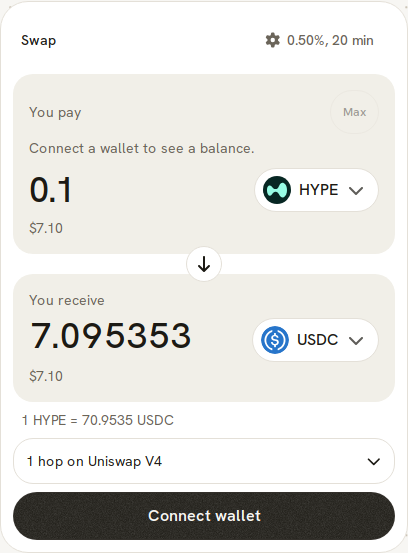
The receive figure updates when a quote returns. While the first quote is in flight, that figure is a solid pulse, not a shimmer.